Automatically clean /tmp or /var/tmp files that are in protected PrivateTmp directories in CentOS / RHEL 7

With CentOS/RHEL 6 there was a function called tmpwatch that was launched /etc/cron.daily/tmpwach This process has changed in CentOS/RHEL 7. There is a system target that runs daily: system-tempfiles-clean.timer. Although tmpwatch does a pretty good job in cleaning out the /tmp or /var/tmp files, it does not by default clean out the /tmp/systemd-private directories as these are secure.  There are…

Read More »

Install CentOS 7 on a GPT labeled disk

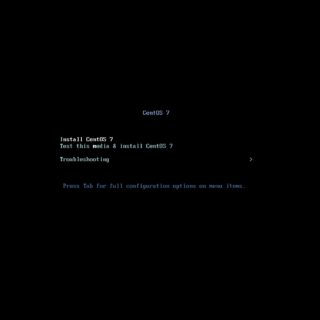
For one reason or another it was difficult to find the “complete” answer to installing CentOS 7 on a GPT labeled disk.  For the most part the answer was too complicated, incomplete, or inaccurate. After some trial and error the answer turns out to be a simple one. Process Basically, insert your CD/DVD for the install When presented with this…

Read More »

Extend the swap logical volume size

Extend the swap size in a logical volume may be needed.  Assume that there is a swap partition that requires an additional 1G of space.  The following process should work on a CentOS 7 Linux install. Assuming that the disk space is available, use lvextend will add 1G, disable and flush out the existing swap space.  It may take some…

Read More »

Root Login Permission Denied on CentOS7

A system that was a fresh installation of CentOS 7 Linux was just completed. After all the updates, the user began to install an application. After some time, the user logged out of the system and could not log back into it. As a root user, the administrator was unable to access the virtual machine even via console. This eliminated…

Read More »

Disk Full Error: Cannot logon via SSH

The issue is that there may be a policy in place to prevent logons if there is any mount that is full.  There are a couple of approaches towards resolution.  Both approaches require a system shutdown.  One approach requires access to the ISO, which leaves a plausible solution. reboot Hit CTL+X to edit the boot kernel ##CHECK THIS ONE, MIGHT…

Read More »

Add a GUI to Microsoft Windows 2012 R2 Core / Standard

There was a server with Microsoft Windows 2012 R2 Standard installed with GUI, for some unknown reason the GUI was uninstalled along with PowerShell.  To reinstall or install these “features”, the install.wim file is needed.  Using a mounted Windows 2012 R2 Standard ISO is one such way. These are the steps to “recover” the GUI and PowerShell.  Since PowerShell is…

Read More »

SELinux: Compile a policy package

You have generated a SELinux human readable .te file and want to compile it into a .pp policy file. Prerequisites Only needed for sealert yum install setroubleshoot-server Troubleshooting This is a series of commands used to troubleshoot a recent zabbix-server service that would not start. It was the results of the ausearch that revealed the semodule command that differed from…

Read More »

Apache Tomcat 9 – SSL/TLS Configuration HOW-TO

In this exercise, Tomcat 9 will be installed with OpenJDK 8 using a self-signed certificate in a PKS12 keystore on a clean CentOS 7 Linux server using the Http11NioProtocol protocol.  These are the steps. ######################################################################################## # Apache Tomcat 9 ######################################################################################## yum install wget vim net-tools firewalld unzip -y yum install java-1.8.0-openjdk-devel -y cd /opt/app wget http://us.mirrors.quenda.co/apache/tomcat/tomcat-9/v9.0.16/bin/apache-tomcat-9.0.16.tar.gz tar xzvf apache-tomcat-9.0.16.tar.gz ln…

Read More »

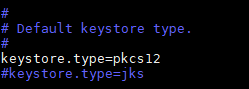
keytool -list displays “JKS” for a PKCS12 keystore [work-a-round]

A server with Tomcat powered by OpenJDK 8 is using a keystore that is PKCS12 and not JKS. However, the keytool shows that the keystore type is JKS. I have accidentally discovered a work-a-round to this. The JAVA version java -version openjdk version “1.8.0_191” OpenJDK Runtime Environment (build 1.8.0_191-b12) OpenJDK 64-Bit Server VM (build 25.191-b12, mixed mode) The Test keytool…

Read More »

Are you a robot? Epic Fail!

That age old and yet annoying reCAPTCHA question, “Are you a robot?” is one that must be answered before you, a human, can continue along your merry way.  As one would expect, the reCAPTCHA process evolves.  The other day, I had to navigate through intentionally blurred and obscured images; but today’s image is a new one for me, Select all…

Read More »

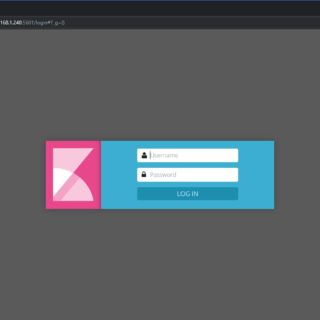
Install Elastic Stack 5.6 on CentOS 7

By combining the massively popular Elasticsearch, Logstash, and Kibana (what was the ELK Stack is now the Elastic Stack), Elastic has created an end-to-end stack that delivers actionable insights in real time from almost any type of structured and unstructured data source. There are many resources that offer installation procedures from simple to complex configurations. This is my take on…

Read More »

CheapSSL is NOT so cheap anymore!

I don’t remember the specific dates or versions of the applications, but what I can state is that somewhere in recent years, Internet browsers and search engines, specifically Google, Google Chrome, and Firefox started to enforce the use of SSL certificates on websites. Websites will have higher page rankings with an SSL against those who do not. Chrome and Firefox…

Read More »

Winamp is back!

Winamp is a media player that has been around since 1997. I know that in this world of modernization and simplified user interfaces some may not be too excited about the news of Winamp as a triumphant return, but it was one of the earliest applications that I had grown to love.  Winamp had and has the user interface that…

Read More »

Migrate User Accounts from one CentOS server to another CentOS server

There are many articles that suggest that simply copying certain files from one CentOS to another CentOS server will be sufficient enough to migrate the user accounts along with their permissions and passwords.  Other arguments suggest that certain files such as the passwd and shadow files should never be manually edited; but the caveat is that there is no “utility”…

Read More »

VMWare Workstation 11 and Windows 10 Blackscreen [Resolved]

There is a case where a user has Windows 10 running on VMware Workstation 11.  While this is recognized as an unsupported setup by VMware, Microsoft Windows 10 has been fully operational and running until the latest mandatory update.  The latest update from a really early version of Windows 10 (1511), presented the black-screen and made Windows inaccessible.  A roll-back…

Read More »

Automate the kinit process with a secure password

If in the event you want to automate the kinit process and automate this process at logon, the steps outlined below will work.  This has been tested on a CentOS 7 installation. ktutil ktutil: addent -password -p username@DOMAIN.COM -k 1 -e rc4-hmac Password for username@DOMAIN.COM: [enter your password] ktutil: addent -password -p username@DOMAIN.COM -k 1 -e aes256-cts Password for username@DOMAIN.COM:…

Read More »

Check Microsoft Windows Uptime

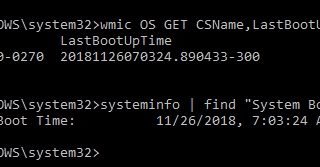
If you ever wanted to know how long Windows has been running without a system reboot, there are many ways to determine that.  However, hare are a couple of commands that I found useful. One will require a note to remember as it is a little long winded, the other, a little easier to remember. wmic OS GET CSName, LastBootUpTime…

Read More »