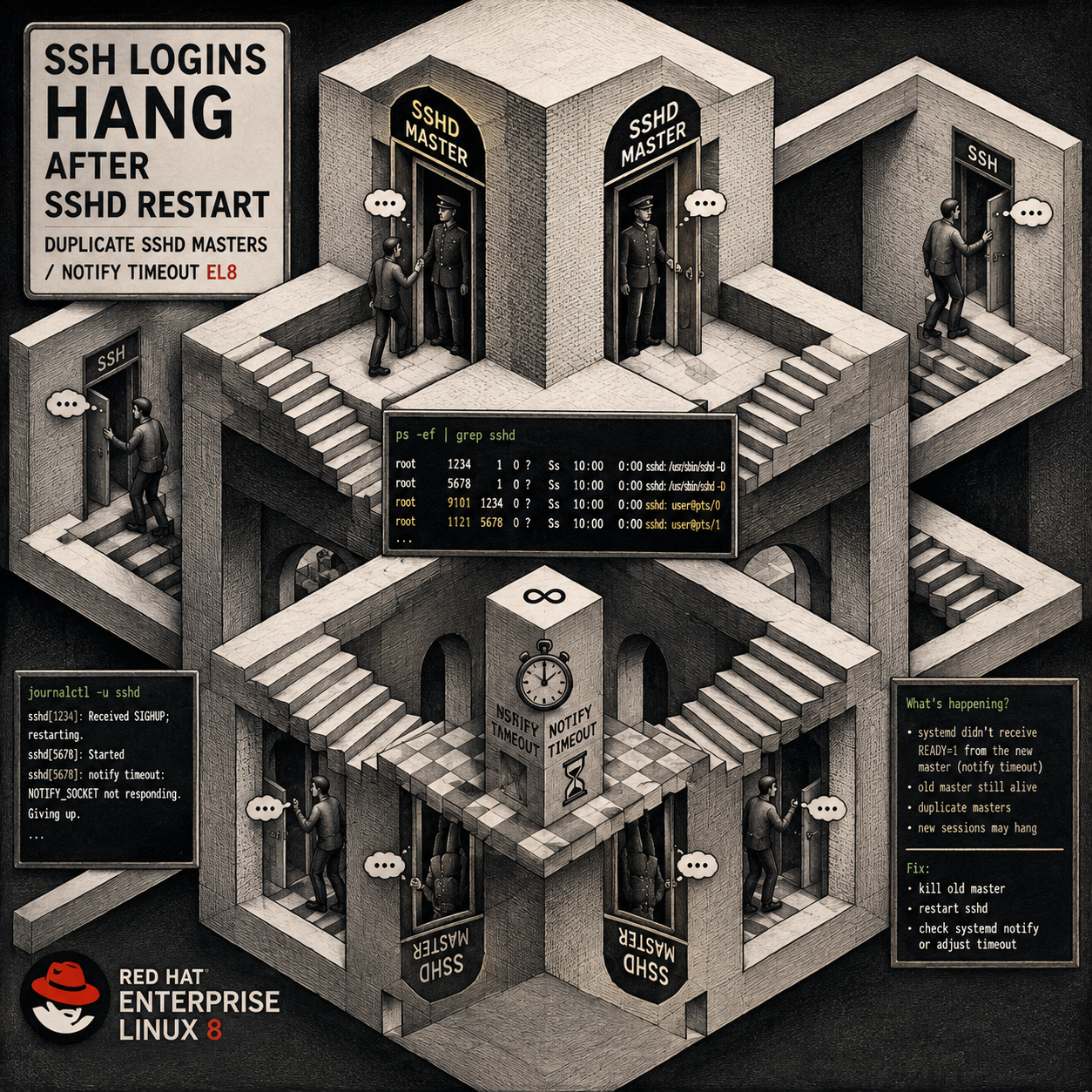
Symptoms
- New SSH connections hang immediately after the TCP connection is established. The client shows the connection open and then stalls before the server banner (e.g. stops right after
Local version string ...withssh -vvv). - The same hang occurs over loopback (
ssh user@127.0.0.1), confirming the problem is local to the host, not the network or the client. sshdlogs show nothing for the hanging attempts — no accept, no auth, no PAM/2FA activity.- Any existing, already-authenticated SSH session continues to work normally.
systemctl status sshdreports the service stuck inactivating (auto-restart)withResult: timeout.- The journal shows a repeating cycle of:
start operation timed out. Terminating.Failed with result 'timeout'.RestartSec=...s expired, scheduling restart.Found left-over process <pid> (sshd) in control group while starting unit. Ignoring.
psshows many/usr/sbin/sshd -Dmaster processes with parent PID 1, accumulating over time with staggered start times.
Root cause
The OpenSSH package was updated, but the sshd service was never restarted afterward, so the running daemon continued serving on the old binary. The first restart after the update launched the new binary, which failed to complete the systemd readiness notification expected by the unit’s Type=notify setting.
When the readiness notification never arrives within the start timeout, systemd marks the start as failed and terminates it. Because the stock unit uses KillMode=process, only the main sshd PID is signalled — leftover listener processes survive and detach (reparenting to PID 1). With Restart=on-failure, systemd then waits RestartSec and tries again, repeating the cycle.
The result is multiple orphaned sshd master processes all bound to the SSH port. Incoming connections get accepted by a wedged master that never services them, producing the “TCP connects, no banner, hangs” symptom with nothing logged.
This commonly surfaces long after the package update — the host keeps running fine on the old in-memory binary until the first service restart (manual, automated, or at reboot) exposes the problem.
Resolution
Perform these steps from an existing, already-open SSH session or console that is still working. Do not close that session until SSH is confirmed healthy. The cleanup commands target only the
/usr/sbin/sshd -Ddaemon pattern, which does not match interactive login sessions (those appear assshd: user [priv]/sshd: user@pts/N).
1. Stop the restart loop and clear the failure state
sudo systemctl stop sshd
sudo systemctl reset-failed sshd
2. Identify the orphaned daemon masters
# Orphaned daemons to be cleared (parent PID 1):
ps -eo pid,ppid,stat,cmd | grep '[s]shd -D'

# Confirm your protected login session(s) — these must NOT be killed:
ps -eo pid,ppid,stat,cmd | grep '[s]shd'
Interactive sessions show as sshd: <user> [priv] and sshd: <user>@pts/N. They do not match the sshd -D pattern used below.
3. Clear the orphaned masters
sudo pkill -9 -f '/usr/sbin/sshd -D'-9 is used because the wedged masters typically do not respond to a normal TERM. The -f '/usr/sbin/sshd -D' pattern matches only daemon masters, never login sessions.
4. Confirm the port is free and only your session remains
ps -eo pid,ppid,stat,cmd | grep '[s]shd'   # expect only your login session(s)
sudo ss -tlnp | grep ':22'                 # expect no output
5. Validate config and start cleanly
sudo sshd -t && echo "config OK"
sudo systemctl daemon-reload
sudo systemctl reset-failed sshd
sudo systemctl start sshd
sleep 3
systemctl status sshd --no-pager | head -8
sudo ss -tlnp | grep ':22'                 # expect exactly one sshd listener
You want Active: active (running) with a single main PID and one listener.
6. Verify before relying on it
ssh -vvv <user>@127.0.0.1 # loopback firstThen connect from a separate, fresh client. Only after a new login succeeds should the original safety session be closed.
If the clean start still times out
If systemctl start sshd returns to activating (auto-restart) / Result: timeout, the new binary is genuinely not completing the Type=notify handshake. Apply a service drop-in so systemd no longer waits for a notification it will not receive:
sudo mkdir -p /etc/systemd/system/sshd.service.d
printf '[Service]\nType=simple\n' | sudo tee /etc/systemd/system/sshd.service.d/override.conf
sudo systemctl daemon-reload
sudo systemctl reset-failed sshd
sudo systemctl start sshd
sleep 3
systemctl status sshd --no-pager | head -8
sudo ss -tlnp | grep ':22'
Type=simple tells systemd to consider the service started once the process is running, rather than waiting on a readiness notification. This is a low-risk, persistent workaround. The override survives reboots.
Prevention
- Restart services after package updates. A patched binary does not take effect until the service is restarted. Long gaps between update and restart hide problems until the next restart or reboot.
- Use a post-update check to find stale binaries (requires
dnf-utils/yum-utils):
sudo needs-restarting -s   # services running outdated binaries
sudo needs-restarting -r # whether a full reboot is advised- Schedule reboots for when console access is available. A reboot resolves the orphaned-process state, but if the underlying cause were a persistent config fault instead, the host could come back with no working SSH and no live session to recover from. Reboot once the failure is confirmed to be transient state, and do it with out-of-band/console access on hand.
- Keep at least one known-good session open while troubleshooting SSH so you retain a recovery path.
Quick reference
| Step | Command |
|---|---|
| Stop loop | sudo systemctl stop sshd |
| Clear failure state | sudo systemctl reset-failed sshd |
| Find orphans | ps -eo pid,ppid,stat,cmd | grep '[s]shd -D' |
| Clear orphans | sudo pkill -9 -f '/usr/sbin/sshd -D' |
| Confirm port free | sudo ss -tlnp | grep ':22' |
| Validate config | sudo sshd -t |
| Start | sudo systemctl start sshd |
| Workaround (if notify still times out) | drop-in Type=simple |