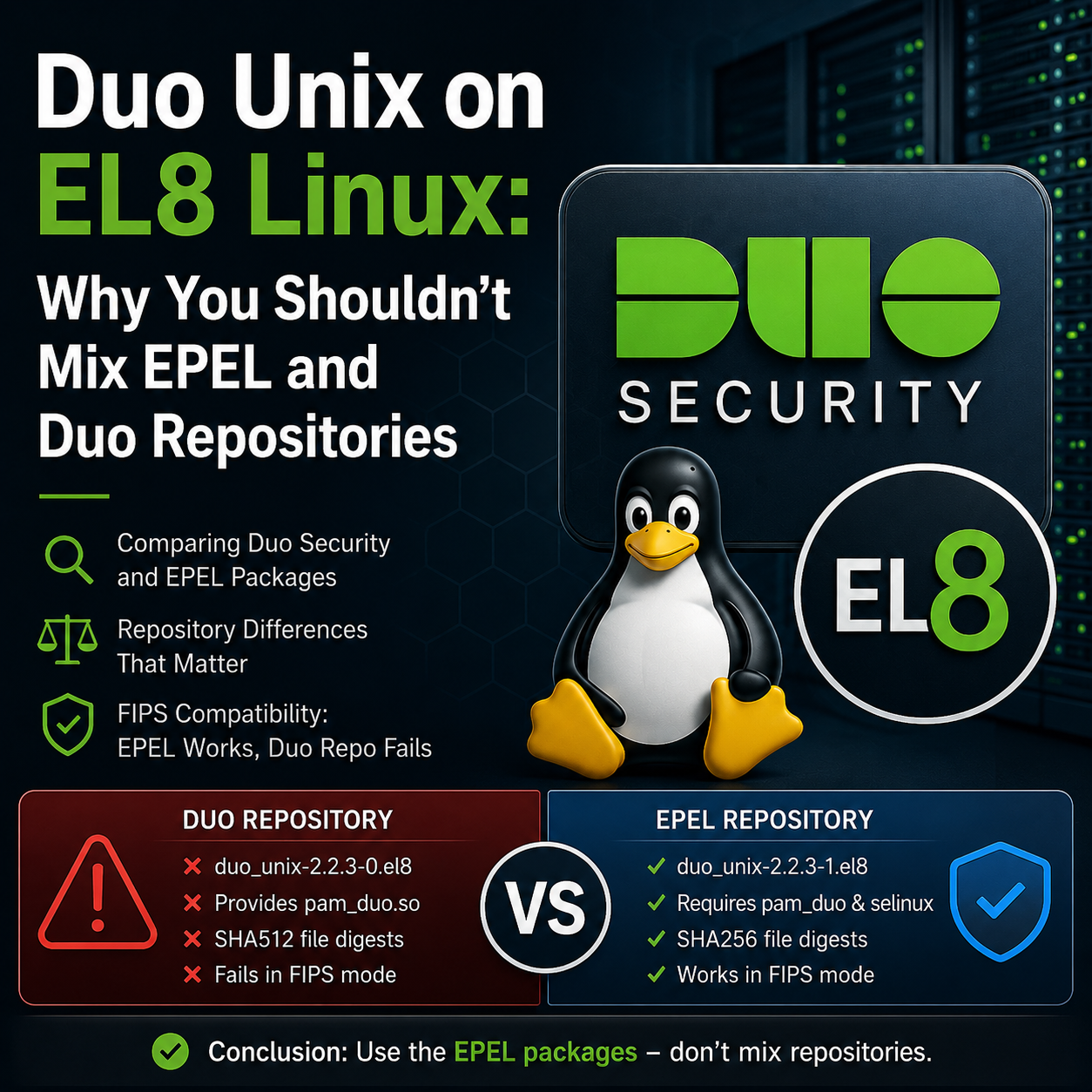
There are a couple of valid methods, but don’t do what I did and mix them.
If you install Duo two-factor authentication for Unix systems. There are four files that are needed and differ in the approach on how they are installed pending on the path you had taken. Once again, I stress, don’t mix them.
The four files, pam_duo.so, duo_unix, a config file, and duo_selinux.
Don’t confuse the the repos. One will have an rpm called duo_unix-2.2.3-0.el8.x86_64.rpm the other duo_unix-2.2.3-1.el8.x86_64.rpm.
On a system with both EPEL and Duo Repos installed. I wanted to know where the pam_duo.so is to be found.
[root@mp ~]# dnf provides */pam_duo.so | tail -n10
duo_unix-2.2.3-0.el8.x86_64 : Duo two-factor authentication for Unix systems
Repo : duosecurity
Matched from:
Filename : /lib64/security/pam_duo.so

pam_duo-2.2.3-1.el8.x86_64 : A PAM module for duo authentication
Repo : epel
Matched from:
Filename : /usr/lib64/security/pam_duo.so
Immediately, it can be seen that the duosecurity handles pam_duo.so and epel requires pam_duo as a separate RPM.
Looking for the duo_unix-selinux
[root@mp ~]# dnf provides duo_unix-selinux
Last metadata expiration check: 0:12:38 ago on Wed 08 Apr 2026 07:26:24 PM EDT.
duo_unix-selinux-2.2.3-1.el8.x86_64 : SELinux rules for duo_unix
Repo : epel
Matched from:
Provide : duo_unix-selinux = 2.2.3-1.el8
Download the files for further review
yum install --disablerepo=duosecurity --downloadonly --downloaddir=/opt/duotesteing/ duo_unix-selinux duo_unix pam_duo

yum install --disablerepo=epel --downloadonly --downloaddir=/opt/duotesting/ duo_unix
The files
[root@mp duotesting]# ll
total 376
-rw-r--r--. 1 root root 202409 Apr 8 19:44 duo_unix-2.2.3-0.el8.x86_64.rpm
-rw-r--r--. 1 root root 82208 Apr 8 19:43 duo_unix-2.2.3-1.el8.x86_64.rpm
-rw-r--r--. 1 root root 13004 Apr 8 19:42 duo_unix-selinux-2.2.3-1.el8.x86_64.rpm
-rw-r--r--. 1 root root 76828 Apr 8 19:42 pam_duo-2.2.3-1.el8.x86_64.rpm
The differences
[root@mp duotesting]# rpm -ql duo_unix-2.2.3-0*| egrep -iv "build-id|licenses|include|pkgconf|doc|man" /etc/duo/login_duo.conf /etc/duo/pam_duo.conf /lib64/security/pam_duo.la /lib64/security/pam_duo.so /usr/sbin/duo_unix_support.sh /usr/sbin/login_duo /usr/share/selinux/packages/authlogin_duo.pp.bz2[root@mp duotesting]# rpm -ql duo_unix-2.2.3-1*| egrep -iv "build-id|licenses|include|pkgconf|doc|man" /etc/duo /etc/duo/login_duo.conf /usr/sbin/duo_unix_support.sh /usr/sbin/login_duo
Checked the signing
[root@mp duotesting]# rpm -Kv duo_unix-2.2.3-1.el8.x86_64.rpm
duo_unix-2.2.3-1.el8.x86_64.rpm:
Header V4 RSA/SHA256 Signature, key ID 2f86d6a1: OK
Header SHA256 digest: OK
Header SHA1 digest: OK
Payload SHA256 digest: OK
MD5 digest: OK
[root@mp duotesting]# rpm -Kv duo_unix-2.2.3-0.el8.x86_64.rpm
duo_unix-2.2.3-0.el8.x86_64.rpm:
Header V4 RSA/SHA256 Signature, key ID ff696172: OK
Header SHA256 digest: OK
Header SHA1 digest: OK
Payload SHA256 digest: OK
MD5 digest: OK
File digests
[root@mp duodtesting]# rpm -qp --qf '%{filedigestalgo}\n' duo_unix-2.2.3-0.el8.x86_64.rpm
10
[root@mp duotesting]# rpm -qp --qf '%{filedigestalgo}\n' duo_unix-2.2.3-1.el8.x86_64.rpm
8
That filedigestalgo output is the smoking gun.
-
In RPM macros, the digest codes map like this:
1 = MD5,2 = SHA1,8 = SHA256,9 = SHA384,10 = SHA512.
Your two packages:
-
Duo RPM:
duo_unix-2.2.3-0.el8.x86_64.rpm→filedigestalgo = 10→ SHA512 per‑file digests. -
EPEL RPM:
duo_unix-2.2.3-1.el8.x86_64.rpm→filedigestalgo = 8→ SHA256 per‑file digests.
RHEL 8 FIPS mode expects RPMs to use at least SHA256 digests, and all their documented examples and guidance assume SHA256, not SHA512; packages built with non‑standard digest settings (like SHA512 file digests) routinely fail verification with “no digest” or similar when FIPS is enabled.
So:
-
EPEL’s
2.2.3-1works in FIPS because it uses SHA256 (code 8), which matches what FIPS‑hardened rpm/dnf is expecting. -
Duo’s
2.2.3-0blows up in FIPS because it uses SHA512 (code 10) for file digests, which RHEL’s rpm in FIPS mode does not accept as a valid digest algorithm for verification on EL8.
Conclusion
As logic would have it, downloading and installing the RPMs from the distro provided by OEM should be the best approach; however, it is not designed to work with FIPs enabled (at the time of this writing)..
So, there doesn’t seem to be a reason to install the duorepository.
[root@mp duotesting]# yum install --disablerepo=epel duo_unix
Last metadata expiration check: 0:00:49 ago on Wed 08 Apr 2026 08:19:26 PM EDT.
Dependencies resolved.
====================================================================================================================
Package Architecture Version Repository Size
====================================================================================================================
Installing:
duo_unix x86_64 2.2.3-0.el8 duosecurity 198 k

Transaction Summary
====================================================================================================================
Install 1 Package

Total download size: 198 k
Installed size: 561 k
Is this ok [y/N]: n
Operation aborted.
[root@mp duotesting]# yum install --disablerepo=duosecurity duo_unix
Last metadata expiration check: 0:01:01 ago on Wed 08 Apr 2026 08:19:26 PM EDT.
Dependencies resolved.
====================================================================================================================
Package Architecture Version Repository Size
====================================================================================================================
Installing:
duo_unix x86_64 2.2.3-1.el8 epel 80 k
Installing dependencies:
duo_unix-selinux x86_64 2.2.3-1.el8 epel 13 k
Installing weak dependencies:
pam_duo x86_64 2.2.3-1.el8 epel 75 k

Transaction Summary
====================================================================================================================
Install 3 Packages

Total size: 168 k
Total download size: 80 k
Installed size: 345 k
Is this ok [y/N]: n
Operation aborted.
The install would be the same otherwise.
dnf install duo_unix
Then prepare your script, like an Ansible script accordingly. Stop mixing, nothing will work!