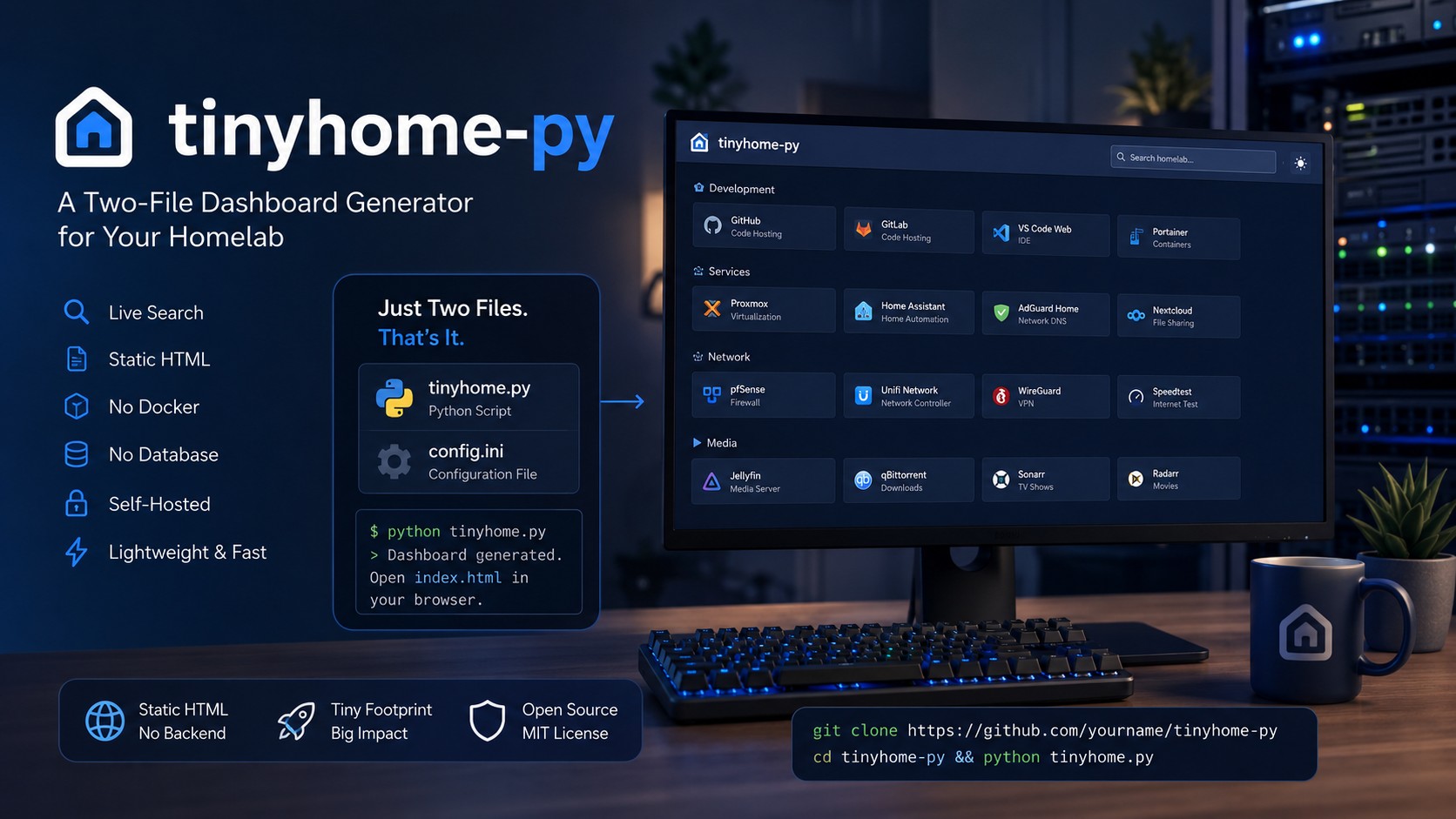
 The self-hosted dashboard world has gotten heavy. The popular options are genuinely impressive — Dashy, Homepage, Heimdall — but they want a Docker container, a Node build chain, or a running web application just to show you a page of links. Somewhere along the way, “a landing page for my homelab” turned into another service to maintain.
tinyhome-py is my answer to that. It’s a dashboard generator that consists of exactly two files — one Python script and one INI config — with zero dependencies beyond the Python standard library. You run the script, it prints a complete, modern, self-contained HTML page, and you’re done. No server process, no database, no container. Just a static file any web server (or your browser, straight from disk) can serve.
github.com/canon2k5/tinyhome-py
Standing on Two Sets of Shoulders
Credit where it’s due: this project is a Python rewrite inspired by bderenzo’s tinyhome, a brilliant shell-based static homepage generator, with a UI modeled on Dashy’s clean card aesthetic. The goal was to combine tinyhome’s radical simplicity with a modern look — and then add the features I actually wanted day to day: dark mode, live search, flexible icon sources, and a config format that’s pleasant to edit by hand.
How It Works
Everything you’d customize lives in config.ini. A [settings] section sets your title, subtitle, header logo, and footer. After that, each INI section becomes a card group on the dashboard — [Development], [Tools], [Media], whatever fits your setup — with one line per link: a name, an icon, a URL, and an optional description. Items within each section are alphabetized automatically, so the config never needs tidying.
Generating the page is one command:
./tinyhome.py > index.html
Point it at a different config file as an argument if you maintain more than one dashboard. Drop the output wherever you like. That’s the entire deployment story.
The Output Doesn’t Look Like a Two-File Project
This is the part I’m proud of. Despite the minimal machinery, the generated page holds its own against the heavyweight dashboards. You get a responsive card grid that works on desktop and mobile, subtle hover effects, a dark/light toggle that also respects your OS preference on first visit, and a live search box that filters cards as you type — handy once your homelab link count creeps past twenty.
The icon system is unusually flexible for something this small. Short prefixes select the source: hl- pulls from the Dashboard Icons project (the go-to set for homelab services — Proxmox, Zabbix, iDRAC, and hundreds more), si- grabs brand logos from Simple Icons, mdi- covers Material Design Icons, and fab/fas handle Font Awesome. You can also point at any icon URL directly, auto-grab a site’s favicon, or just use an emoji. No prefix at all defaults to Font Awesome Solid, so server or toolbox just works.
Fonts and icons load from CDN, which is what keeps the project at two files with nothing to bundle. The only requirements are Python 3 and an internet connection for those CDN assets.
Where It Fits
If you’re running a serious homelab with widgets, service health checks, and API integrations, Dashy and its peers earn their complexity — and TrustView, my certificate-monitoring dashboard, covers the health-check side of my own setup. But for the common case — a clean landing page at the root of your intranet that gets you to everything else in one click — tinyhome-py does the job with nothing to update, nothing to restart, and nothing to break. When your links change, you edit one INI file and rerun one script.
It’s MIT-licensed and free to grab from the GitHub repository. The example config in the README will have you looking at a finished dashboard within about two minutes of cloning — which might be less time than it takes to pull the Docker image for the alternatives.