JBoss logs can take up gigabytes of space. The log rotation works well, however, there is no (not that I could find) means to compress in real-time. However, with a little work, this may be accomplished with a cron job.
I am not going to go into too much detail or background, there are many sites that do this well. However, I will source the sites that inspired this effort.
This is tested on CentOS 5.5 using JBoss 5.1.0 GA
I want to automate the compression of JBoss logs, then move these logs to another location after a period of time has passed.
Create the script.
gedit jboss-logs.shCopy the following into the jboss-logs.sh, modify where necessary.
#!/bin/bash
LOGS=/usr/local/jboss/server/default/log/
LOGBACK=/usr/local/jboss/server/default/backup/
INFOLOG="server.log"
ERRORLOG="error.log"
BOOTLOG="boot.log"

# gzip files last modify at least 1 hour ago, and not files that are identified above and that have already been compressed
find $LOGS -mmin +61 -not -name "$INFOLOG" -not -name "$ERRORLOG" -not -name "$BOOTLOG" -not -name '*.gz' -exec gzip "{}" \;

# move all logs older than 15 days
find $LOGS -mtime +15 -not -name "$INFOLOG" -not -name "$ERRORLOG" -not -name "$BOOTLOG" -print0 | xargs -0 -I xxx mv xxx $LOGBACK
Save the script, then make it executable.
chmod +x jboss-logs.shThe script can manually be executed.
./jboss-logs.shOr, create a cron job to automate the process. I wanted a cron job to run at 12:05 AM everyday. To create a cron job, create a text file.
gedit jboss-logs.txtCopy the following into it and make sure to press ENTER to start a new line:
5 0 * * * /usr/local/jboss/server/default/backup/logs.sh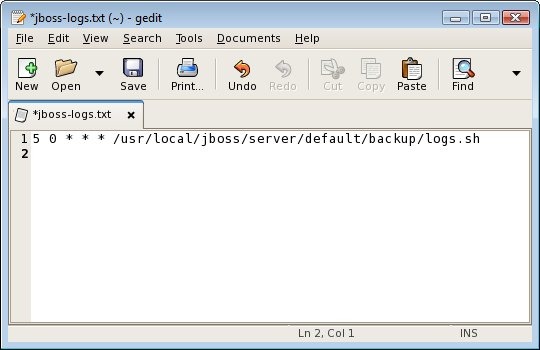
Save the file. Then create a cron job.
crontab /root/jboss-logs.txtIt can be verified to exist with the following command.
crontab -l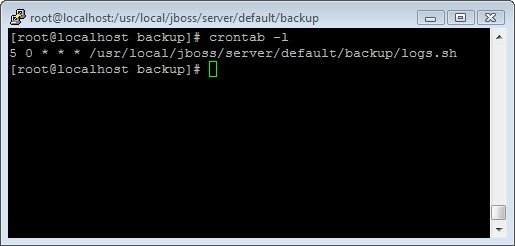
Done. The result should be an automated task to compress JBoss logs and move then after so many days to another location at 12:05 AM.
Resources
- What is a cronjob, and how do I use it?
- xargs
- How do I add jobs to cron under Linux or UNIX oses?
- find
- How to gzip all files in all sub-directories in bash