Month: February 2008

How to Setup IIS6 with the Tomcat 5 Connector – Step by Step Guide.

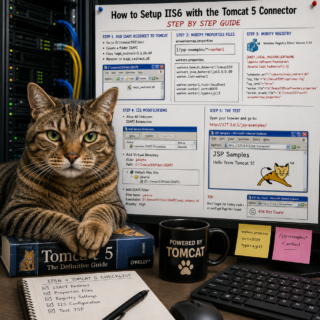
How to Setup IIS6 with the Tomcat 5 Connector – Step by Step Guide. A complete guide step by step with pictures on how to setup Internet Information Server (IIS) 6.0 and Tomcat 5 on a Microsoft Windows 2003 server to use the Tomcat ISAPI redirector. Prerequisites (installed on test machine) IIS (II6 on MS Windows 2003 SP2) JAVA Development…

Read More »

IIS6: How to delete items from the Default Application Pool

The applications details are stored in the IIS Metabase. IIS6 Resource Kit Tools available from Microsoft contains a utility Metabase Explorer. This utility may be used to delete the desired entries. Once installed, Start > All Programs > IIS Resources > Metabase Explorer. IIS 6.0 Resource Kit Tools | Download

Read More »

Microsoft Office 2003 missing SKU011.CAB

Fix: Microsoft Office 2003 Prompts for SKU011.CAB on Launch After a Windows update, Microsoft Office 2003 installations can break in a frustrating way — launching Excel (or another Office app) triggers a repair dialog, which then fails with an error stating that SKU011.CAB cannot be found. The fix involves a quick registry edit to disable the local installation source cache….

Read More »

EMC Documentum eRoom “incorrect type” error and fix

When attempting to import eRooms into a new installation of the following error message may appear: Unfortunately, eRoom was unable to process this dialog, because this operation could not be performed. The object or data that eRoom was manipulating was of an incorrect type for the operation being performed on it. The resolution as directed by the EMC technical support…

Read More »

EMC Documentum eRoom error code 0x80040fff fix

After installing EMC Documentum eRoom and when attempting to create an eRoom site. The following error message may occur: Unfortunately, eRoom was unable to create the site, because of an unanticipated error (0x80040fff) Couldn’t find the resolution anywhere, there were many articles that touched on the subject but not as thorough as I needed. It turned out to be something…

Read More »

EMC Documentum eRoom 7.3.2a Installation Guide

EMC Documentum eRoom 7.3.2a Advanced Configuration: Two servers both running Microsoft Windows 2003 SP2 (Standard Edition) Server 1: SQL server (assumption that it is already installed) Server 2: eRoom server and eRoom Index Server Prerequisites: Server 2: eRoom server and eRoom Index Server Install IIS Enable Network DTC access

Read More »

EMC Documentum eRoom upgrade from 7.3.2a to 7.3.4 plus DST patch procedure

I recently upgraded EMC Documentum eRoom 7.3.2a to 7.3.4 plus DST patch. Each upgrade took about 15 minutes each. This environment is using the MSSQL Advanced edition. Files needed: MSSQLAdvancedSetup_7.3.4.exe IndexServerSetup_7.3.4.exe eRoomDSTPatch2007.exe (September 2007) This answered a few questions I had in mind. Q: How to upgrade eRoom 7.3.2a to eRoom 7.3.4? A: I couldn’t find the answer, so this…

Read More »

#1045 – Access denied for user ‘root’@’localhost’ (using password: NO) fix

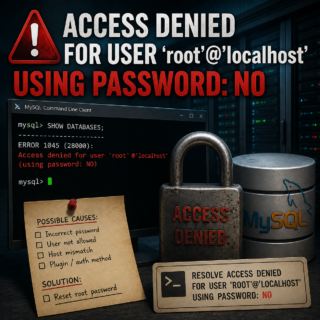
On a test box running an older version of WAMP, I wanted to correct an installation oversight, the user root with no password. After installing several databases, I decided to change the user root password from no password to some password. After doing so, I immediately encountered the following error: #1045 – Access denied for user ‘root’@’localhost’ (using password: NO)…

Read More »

Cannot connect to remote MySQL database. Resolution.

While attempting to access a remote MySQL database, you may be presented with a permissions error. There are several ways to resolve this via command line or via MySQL Administrator a GUI. MySQL Administrator is a program for performing administrative operations, such as configuring, monitoring and starting and stopping a MySQL server, managing users and connections, performing backups, and a…

Read More »

Documentum 5.3 SP5 Application Builder install error and resolution

While upgrading from Documentum 5.2.5 SP5 to Documentum 5.3 SP5, the client workstation upgrades completed successfully. However, when installing Documentum 5.3 SP5 Application Builder on a workstation image, the installation failed with the following error: Failed to verify/update MFC DLL entry in registry Expression failed: str != NULL; The installation appeared to proceed normally until the error dialog was displayed,…

Read More »

Change Background Color at Logon or CTL-ALT-DEL

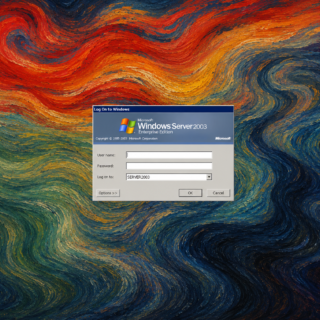
In Windows 2000, Windows XP, and Windows Server 2003, the classic Ctrl+Alt+Del logon screen is displayed on top of a solid background color. While most systems use the default color scheme, it is possible to customize the background by modifying a single registry value. I originally encountered this while managing a group of servers where one machine displayed a different…

Read More »